

How to Create and Publish a Service Gig on EFlancers
A Step-by-Step Guide for Freelancers
This guide explains how freelancers can create and publish a service (Gig) on EFlancers by following the exact steps shown in the platform interface.
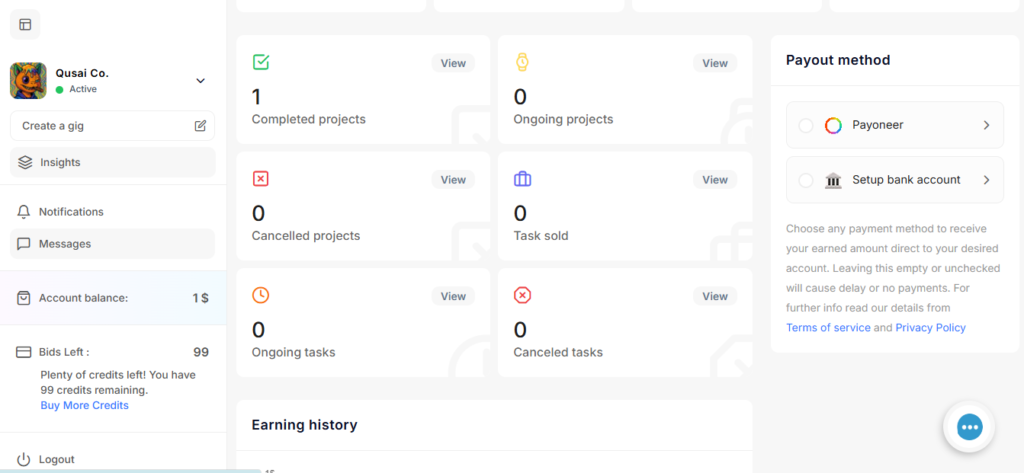
Step 1: Access Your Freelancer Dashboard
After logging in to your freelancer account, you will be redirected to the Dashboard.
From the left sidebar, click Create a gig to start creating a new service.
This opens the gig creation process, which is divided into clear steps.
Step 2: Task Introduction (Service Details)
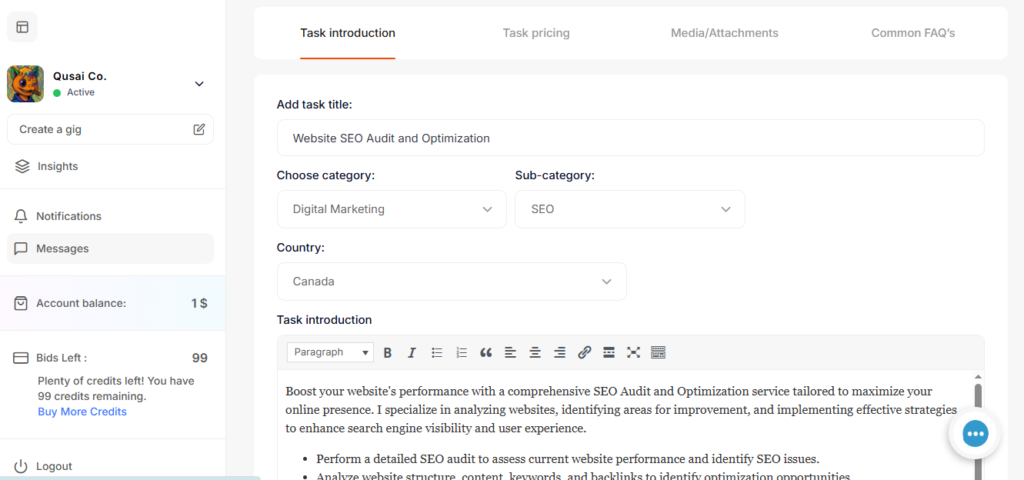
In the Task introduction step, you define the basic information about your service.
You need to fill in the following fields:
- Task title
Example: Website SEO Audit and Optimization - Choose category
Example: Digital Marketing - Sub-category
Example: SEO - Country
Select the country where you offer the service - Task introduction (description)
Write a clear description explaining:- What the service includes
- What the client will receive
- Your experience and skills
A detailed and clear description helps clients understand your service and increases your chances of getting orders.
After completing this step, continue to the next stage.
Step 3: Task Pricing (Packages and Delivery)
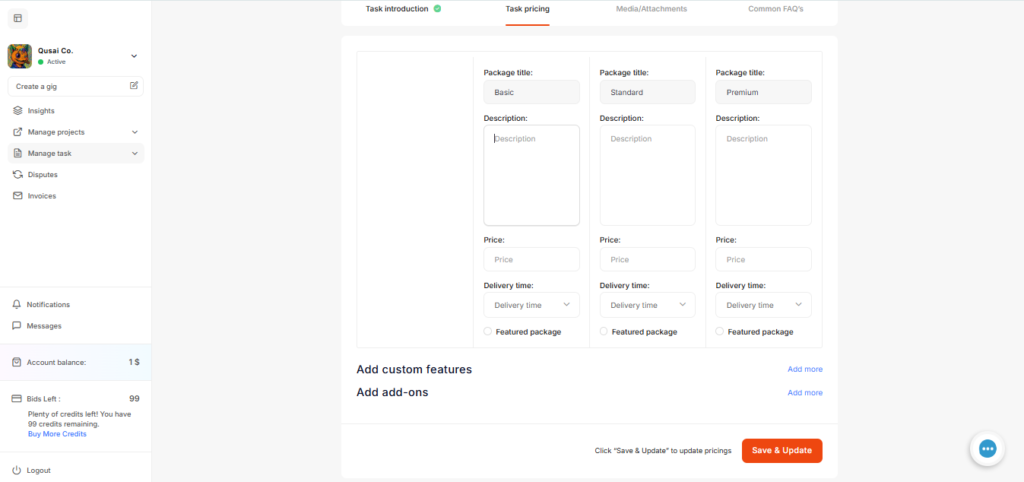
In the Task pricing step, you define how your service is priced.
You can create multiple packages, such as:
- Basic
- Standard
- Premium
For each package, you need to set:
- Package description
- Price
- Delivery time
You can also:
- Add custom features
- Add add-ons
- Mark a package as Featured
This allows clients to choose the package that best fits their needs and budget.
Click Save & Update to proceed.
Step 4: Media & Attachments
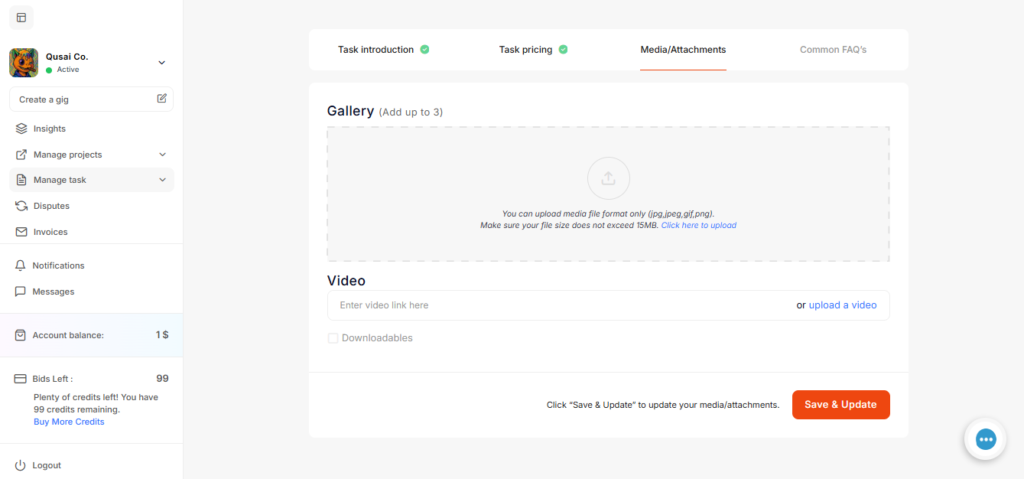
In the Media/Attachments step, you upload visuals and media related to your service.
You can:
- Upload up to 3 images to the gallery
- Add a video link or upload a video
- Enable downloadable files if your service includes deliverables
Images and videos help showcase your work and increase trust with potential clients.
After uploading your media, click Save & Update.
Step 5: Common FAQs
In the Common FAQ’s step, you can add frequently asked questions about your service.
Examples of FAQs:
- What information do you need from the client?
- How long does delivery take?
- Do you offer revisions?
Adding FAQs helps answer client questions in advance and reduces misunderstandings.
When finished, click Save & Update.
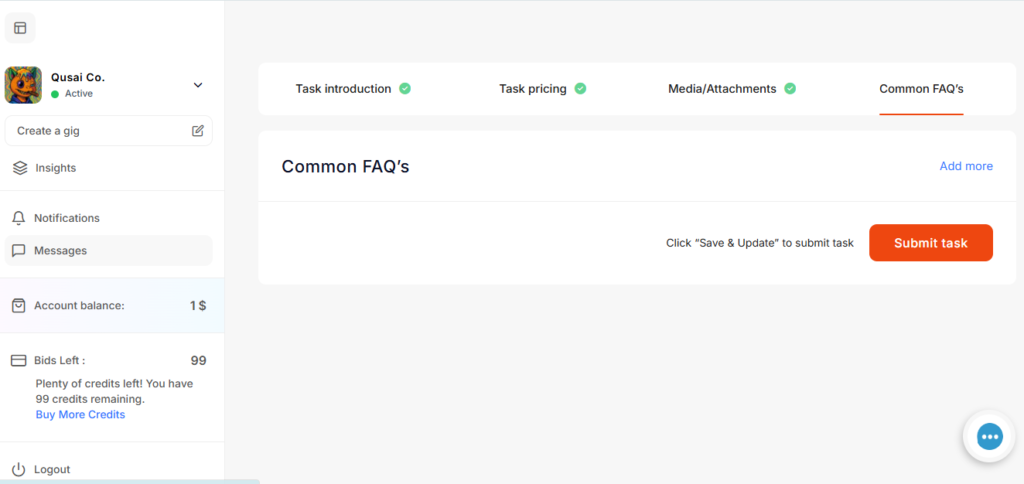
Step 6: Submit and Publish the Service
After completing all steps:
- Review your service details
- Click Submit task
Your service (Gig) will then be published and visible to clients on the platform.
Conclusion
Creating a service on EFlancers follows a clear and structured process:
- Access the dashboard and click Create a gig
- Add service details in the task introduction
- Set pricing and packages in Task pricing
- Upload images and videos in Media/Attachments
- Add questions in the Common FAQ’s
- Submit and publish your service
Following these steps helps freelancers present their services professionally and attract more clients.
Start To Sell Your First Service
Leave your comment